





Vibe coding has gone from an experimental way of building software with AI into a mainstream development workflow. Instead of writing every line of code manually, you describe what you want in natural language and an AI coding tool generates, edits, tests, debugs or deploys the software for you.
But finding the best vibe coding tools is not as simple as choosing the platform that produces the most impressive demo.
A beginner building a startup MVP has different needs from a professional developer working inside a large Git repository. Some tools are designed to turn a prompt into a complete application, while others act as AI-powered coding agents inside an existing development environment.
This guide compares 10 of the leading vibe coding tools in 2026, including their strengths, limitations, pricing models and the type of user they are best suited to.
Quick answer: For professional developers, Cursor and Claude Code are among the strongest choices for working with existing codebases. For non-technical founders, Lovable and Bolt are particularly strong for turning ideas into working applications. Replit is attractive if you want development, hosting and deployment in one browser-based environment, while Cline stands out for developers who want an open-source, provider-flexible coding agent.
What is vibe coding?
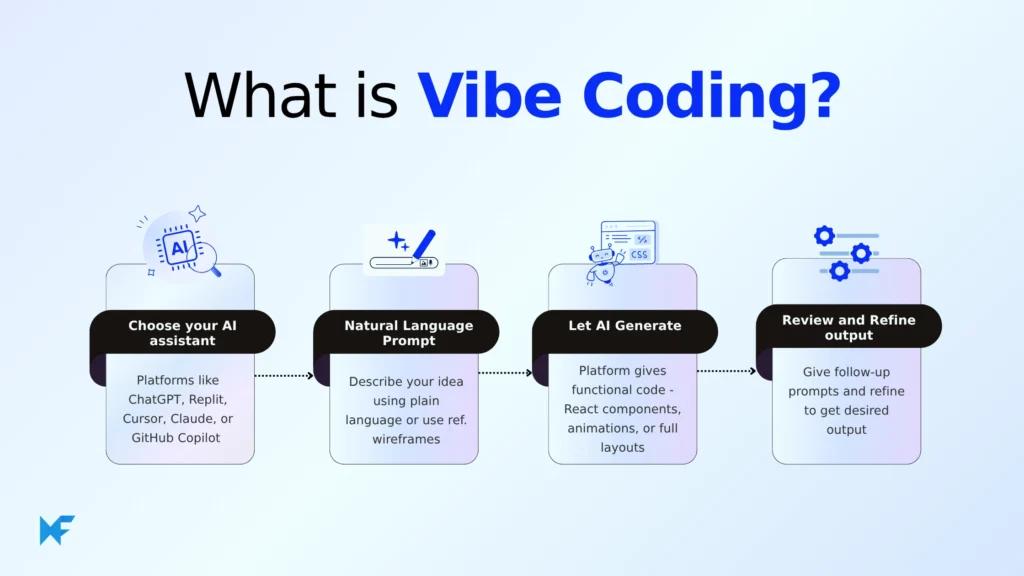
Vibe coding is an AI-assisted software development approach where you describe a desired feature, application or change in natural language and an AI system generates or modifies the underlying code.
The term was popularised by AI researcher Andrej Karpathy in 2025. Since then, the category has expanded rapidly, with products ranging from browser-based app builders to autonomous coding agents and AI-native development environments.
The important distinction is that not every AI coding tool is technically the same.
Two major types of vibe coding tools
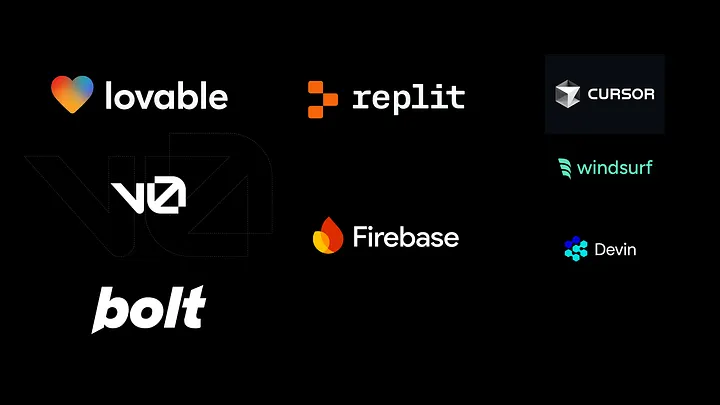
AI app builders generate much of the application for you. They are particularly useful for prototypes, websites, internal tools and MVPs.
Examples include:
- Lovable
- Bolt
- Replit
- Base44
- v0
AI coding agents and AI IDEs work with an existing codebase and can perform more sophisticated development tasks such as debugging, refactoring, testing and multi-file changes.
Examples include:
- Cursor
- Claude Code
- GitHub Copilot
- Devin Desktop
- Cline
The best option therefore depends on what you are trying to build, how comfortable you are with code and how much control you want over the final application.
Quick comparison: Best vibe coding tools in 2026
| Tool | Type | Free option | Starting paid price* | Best for |
|---|---|---|---|---|
| Cursor | AI IDE | Yes | $20/month | Professional developers |
| Claude Code | Coding agent | No standalone free plan | $20/month via Claude Pro | Complex codebase work |
| Lovable | AI app builder | Yes | Paid plans available | Non-technical founders |
| Bolt | AI app builder | Yes | $25/month | Rapid prototyping |
| v0 | AI development/UI tool | Yes | $20/month Premium | React and Next.js interfaces |
| Replit | Cloud IDE + AI agent | Yes | $20/month annually | Browser-based development |
| GitHub Copilot | AI coding assistant | Yes | $10/month | GitHub and IDE users |
| Devin Desktop | AI IDE/agent environment | Yes | $20/month Pro | Agentic development workflows |
| Base44 | AI app builder | Yes | $16/month annually | Full-stack no-code apps |
| Cline | Open-source coding agent | Yes | Pay for inference | Developers wanting control |
*Pricing and usage models change frequently. Prices shown are current reference points checked in August 2026 and may vary by billing cycle, taxes, region or usage.
1. Cursor — Best AI IDE for professional developers

Cursor is an AI-native code editor built around the idea that an AI agent should understand and work across an entire codebase rather than simply autocomplete individual lines.
It provides AI-powered editing, code generation, agent workflows and access to multiple frontier models. Its ability to reason across files makes it particularly useful when a task involves changes in several parts of an application.
Why Cursor stands out
Cursor is particularly strong for developers who already understand software development but want AI to handle more of the implementation work.
It can help with:
- Multi-file code changes
- Debugging
- Refactoring
- Code generation
- Codebase analysis
- Agentic development
- Testing and iteration
- Working with multiple AI models
Cursor’s current pricing includes a free Hobby tier with limited Agent requests and a $20/month Pro plan. Higher tiers include Pro Plus and Ultra for users who need substantially more agent usage.
Best for: Professional developers, software engineers and experienced builders.
Main drawback: Heavy agent usage can consume included usage quickly, and the pricing model is more usage-sensitive than a simple flat-rate subscription suggests.
Verdict: One of the strongest choices if you want an AI coding environment rather than a simple prompt-to-app generator.
2. Claude Code — Best for complex coding tasks and existing codebases
Claude Code takes a different approach from traditional AI coding assistants. It operates as a coding agent that can inspect a repository, reason about a task, modify multiple files, run commands and iterate based on the results.
This makes it particularly useful for developers working on existing applications rather than simply generating a new prototype.
Why Claude Code stands out
It is particularly well suited to:
- Large refactors
- Multi-file changes
- Debugging
- Framework migrations
- Repository analysis
- Automated testing workflows
- Terminal-based development
Claude Code is available through Anthropic’s Claude plans. Claude Pro costs $20 per month when billed monthly, while Max plans begin at $100/month and provide substantially higher usage limits. Anthropic states that Claude Code usage shares limits with the associated Claude subscription.
Best for: Developers comfortable working from a terminal and people maintaining existing codebases.
Main drawback: It is not designed primarily as a beginner-friendly visual app builder.
Verdict: A powerful option for serious coding work where reasoning across an existing repository matters more than simply generating a pretty first version.
3. Lovable — Best for non-technical founders
Lovable is one of the clearest examples of pure prompt-driven application development.
You describe the application you want in ordinary language and the platform can generate a functioning web application without requiring you to write the entire codebase manually.
It is particularly attractive to entrepreneurs, designers, product managers and people testing startup ideas.
Why Lovable stands out
Lovable can help users create:
- Websites
- SaaS applications
- Dashboards
- Customer portals
- Internal tools
- MVPs
- Database-backed applications
Its current system uses credits for building, hosting and AI features. Lovable’s own documentation explains that credit consumption varies according to the complexity of the task and the mode being used.
Lovable has also changed how it handles Cloud and AI billing, making it important to evaluate total usage rather than judging the service solely by its advertised subscription price.
Best for: Non-technical founders, entrepreneurs and rapid MVP development.
Main drawback: Credit-based usage can make the real cost of building and operating an application higher than the headline subscription price suggests.
Verdict: One of the best starting points if you have an application idea but limited programming experience.
4. Bolt — Best for rapid AI app prototyping

Bolt is a browser-based AI development environment from StackBlitz that lets users generate and modify applications using natural-language instructions.
Its biggest advantage is speed. You can start with an idea, describe the functionality and immediately see the resulting application in the browser.
Why Bolt stands out
Bolt is particularly useful for:
- Startup prototypes
- Websites
- Web applications
- MVPs
- Landing pages
- Experiments
- Rapid proof-of-concept development
Its free plan currently includes up to 1 million tokens per month, with a daily limit, while the Pro plan is $25/month when billed monthly and starts with 10 million tokens per month.
That makes the free tier particularly interesting for people who want to experiment with AI-generated applications before subscribing.
Best for: Beginners, founders, designers and developers who prioritise speed.
Main drawback: Token consumption can increase rapidly when the AI enters repeated generation or debugging cycles.
Verdict: One of the most attractive choices for rapid prototyping, especially if you want to experiment before paying.
5. v0 — Best for AI-generated React and Next.js interfaces
v0, developed by Vercel, is particularly strong when the goal is to create polished web interfaces using modern React and Next.js technologies.
While it began primarily as an AI interface generator, the platform has expanded into a broader development environment.
Why v0 stands out
It is particularly useful for:
- Landing pages
- SaaS interfaces
- Dashboards
- React components
- Next.js projects
- UI prototypes
- Frontend development
Vercel’s pricing model gives free users $5 in monthly included credits, while Premium includes $20 in monthly credits. The platform moved from fixed message counts to token-based credit usage.
Best for: Frontend developers, designers and teams building React/Next.js products.
Main drawback: It is strongest on the frontend. Complex backend, authentication and infrastructure requirements may still require additional development.
Verdict: A strong choice when interface quality and modern React development are the priority.
6. Replit — Best all-in-one browser-based AI development platform
Replit takes the all-in-one approach. Instead of installing a local development environment, users can build, run and deploy applications from a browser.
Its AI Agent is integrated into the development environment, allowing users to describe what they want and have the platform work on the application.
Why Replit stands out
Replit combines:
- Cloud development
- AI coding agents
- Hosting
- Databases
- Deployment
- Collaboration
- Browser-based development
The Starter plan is free and includes daily Agent credits, a built-in database and the ability to publish an application. Replit Core is currently $25/month when billed monthly or $20/month when billed annually.
Best for: Beginners, students, educators, rapid prototyping and developers who prefer working entirely in the browser.
Main drawback: Resource-heavy professional projects may eventually benefit from a more traditional local development environment.
Verdict: One of the easiest ways to go from an idea to a running application without setting up a development machine.
7. GitHub Copilot — Best for developers already using GitHub
GitHub Copilot has evolved considerably beyond its original autocomplete functionality.
It now supports agentic workflows, code review, cloud agents, multiple AI models and integration across popular development environments.
That makes it particularly attractive to developers who already use GitHub as the centre of their software development workflow.
Why GitHub Copilot stands out
It works across environments including:
- Visual Studio Code
- Visual Studio
- JetBrains IDEs
- Xcode
- Neovim
- GitHub
- Command-line workflows
The free plan currently includes 2,000 code completions per month. Copilot Pro costs $10 per user/month and includes unlimited code completion plus additional agent and coding features.
Best for: Existing GitHub users, software developers and teams already using GitHub-based workflows.
Main drawback: Some advanced features consume AI credits, so heavy agent usage requires monitoring usage rather than relying only on the headline subscription price.
Verdict: One of the easiest AI coding upgrades for developers already working in the GitHub ecosystem.
8. Devin Desktop — Best for agentic development workflows
One important update from the original version of this article is the name.
Windsurf became Devin Desktop in June 2026.
Cognition, the company behind Devin, describes Devin Desktop as the next generation of Windsurf. The underlying Windsurf IDE remains the foundation, but the product is now centred around managing local and cloud coding agents.
The new approach is less about simply asking an AI to autocomplete code and more about managing multiple agents that can work on development tasks.
Why Devin Desktop stands out
It offers:
- Agent management
- Local and cloud agents
- Multi-agent workflows
- Full IDE functionality
- Shared context
- Agent Client Protocol support
- Traditional developer tooling
This makes it particularly interesting for developers experimenting with more autonomous software engineering workflows.
Best for: Developers interested in agentic coding and managing multiple AI development tasks.
Main drawback: The product has changed significantly from the Windsurf users knew previously, so older tutorials and comparisons can now be outdated.
Verdict: If you are searching for Windsurf in 2026, look at Devin Desktop instead. Cognition officially describes it as the next generation of Windsurf.
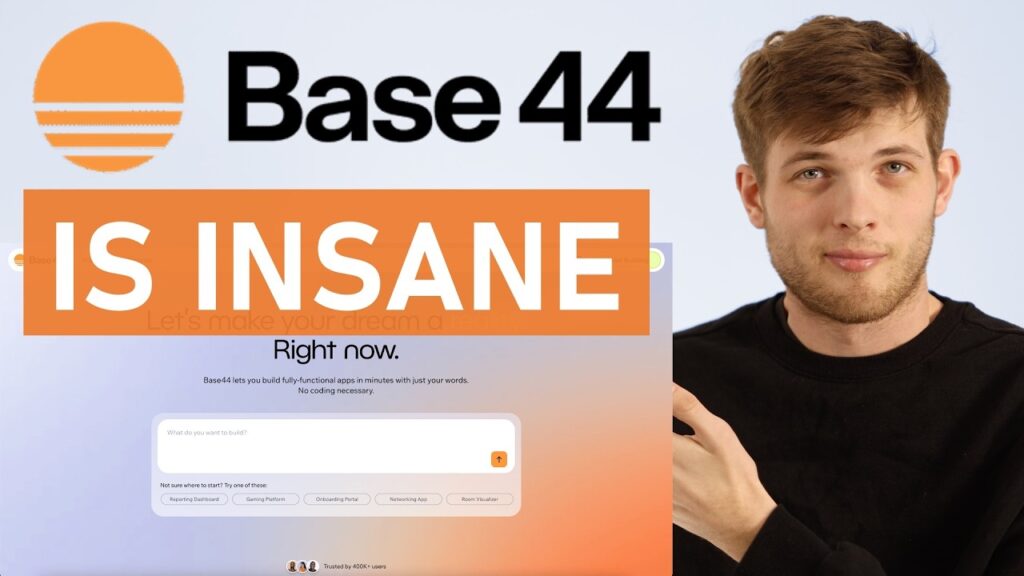
9. Base44 — Best for building full-stack applications without traditional coding

Base44 is an AI-powered application builder designed to let users create functional applications from natural-language instructions.
It is aimed particularly at people who want to build complete applications without managing a conventional development stack themselves.
Why Base44 stands out
The platform supports capabilities including:
- Application generation
- Backend functions
- Database functionality
- Integrations
- GitHub integration
- In-app code editing
- Domain connections
- AI model selection
Its current pricing is significantly different from the older figures in the original draft. Base44’s current plans include a Starter plan from $16/month when billed annually, with higher Builder, Pro and Elite tiers.
Base44 also uses message and integration credits, meaning the cost of operating a heavily used application can depend on how many AI or integration actions the application performs.
Best for: Entrepreneurs, internal tools, business applications and people who want a more complete no-code development experience.
Main drawback: Credit-based pricing means you should consider expected application usage, not just the subscription price.
Verdict: Worth considering if you want an AI-first application platform with backend capabilities built into the experience.
10. Cline — Best open-source vibe coding option
Cline is different from most tools on this list because it is an open-source coding agent rather than a conventional hosted app builder.
It operates inside development environments and can read files, modify code, execute commands and work with external tools while giving developers control over how the agent operates.
Why Cline stands out
Cline offers:
- Open-source architecture
- IDE integration
- Terminal support
- Model flexibility
- BYOK support
- MCP integrations
- Local model support
- Checkpoints and rollback
- Developer-controlled workflows
Cline is currently free for individual developers. Rather than charging a conventional subscription for the core product, users pay for AI inference through their selected provider or use supported free/local models.
The platform supports both its own provider and bring-your-own-key workflows, including connections to providers such as Anthropic and OpenAI.
Best for: Developers who want control, flexibility and the ability to choose their AI model provider.
Main drawback: Cline is a coding agent, not a complete hosting platform. You are still responsible for much of the deployment and infrastructure.
Verdict: One of the most compelling options for developers who want an open-source alternative to proprietary AI coding environments.
Which vibe coding tool should you choose?
There is no single winner for everyone. The best choice depends on your technical experience and what you are trying to build.
If you are a non-technical founder
Start with Lovable, Bolt or Replit.
These platforms reduce the amount of traditional development knowledge required to turn an idea into a working application.
If you are a professional developer
Look at Cursor or Claude Code.
Cursor is particularly attractive if you want an AI-native editor. Claude Code is especially useful when your workflow involves repositories, terminal commands, refactoring and multi-file changes.
If you already use GitHub
GitHub Copilot is probably the easiest option to add to your existing workflow.
Its $10/month Pro plan also gives it one of the lowest entry prices among the major paid AI coding assistants.
If you want the best frontend generation
Try v0.
It is particularly well suited to React and Next.js interfaces and modern web UI development.
If you want an open-source solution
Cline is the obvious candidate on this list.
Its model flexibility and BYOK approach give experienced developers substantially more control over how AI coding is powered.
If you want an all-in-one browser environment
Choose Replit.
It combines development, AI assistance, databases and deployment in one environment.
If you want agentic development
Look at Devin Desktop or Claude Code.
Both represent the broader shift from AI autocomplete toward AI agents that can take responsibility for larger development tasks.
Best vibe coding tools by use case
| Use case | Recommended tool |
|---|---|
| Best overall AI IDE | Cursor |
| Best for complex codebases | Claude Code |
| Best for non-technical founders | Lovable |
| Best for rapid prototypes | Bolt |
| Best for frontend/UI generation | v0 |
| Best browser-based environment | Replit |
| Best for GitHub users | GitHub Copilot |
| Best for agentic workflows | Devin Desktop |
| Best full-stack no-code builder | Base44 |
| Best open-source option | Cline |
| Best free experimentation | Bolt / Replit / Cline |
| Best for experienced developers | Cursor / Claude Code |
| Best for beginners | Lovable / Replit |
Are vibe coding tools actually good enough to build real software?
Yes — but with an important qualification.
AI coding tools are increasingly capable of producing functioning applications, but generating an application is not the same thing as engineering a reliable production system.
An AI-generated application can contain:
- Security vulnerabilities
- Poor architecture
- Inefficient database queries
- Incorrect business logic
- Weak authentication
- Dependency problems
- Inadequate error handling
- Accessibility issues
- Performance problems
This is why the most useful distinction is not simply AI versus human coding.
The real distinction is between AI-generated code that is reviewed and tested and code that is deployed without proper engineering oversight.
For prototypes and internal tools, the productivity gains can be enormous. For applications handling payments, sensitive information or large numbers of users, human review, security testing and proper software engineering remain essential.
Vibe coding vs traditional coding
Vibe coding does not necessarily replace traditional programming.
Instead, it changes where the developer spends their time.
Traditional development often requires developers to manually write much of the implementation. With AI coding agents, developers can increasingly spend more time on:
- Defining requirements
- Designing architecture
- Reviewing generated code
- Testing
- Debugging
- Security
- Product decisions
- Managing AI agents
In other words, the developer’s role is gradually moving from writing every line of code toward directing, reviewing and validating software produced with AI assistance.
That is why tools such as Cursor, Claude Code and Cline can be valuable even for developers who already know how to code.
What makes a good vibe coding tool?
When comparing AI coding tools, do not judge them solely by how impressive the first generated application looks.
Consider these factors instead:
1. Code quality
Can the tool produce maintainable code rather than simply making a working demo?
2. Context awareness
Can the AI understand your existing files, dependencies and architecture?
3. Debugging ability
Can it identify why something failed and fix the underlying problem?
4. Control
Can you review changes before they are applied?
5. Model choice
Can you choose between different AI models?
6. Deployment
Can you take the generated application into production without rebuilding everything?
7. Cost
How much will the tool cost after your free credits or tokens are exhausted?
8. Security
Does the platform give you enough control over data, credentials, dependencies and generated code?
9. Portability
Can you export your code and continue development somewhere else?
10. Long-term maintainability
Perhaps the most important question is whether the application remains manageable after the initial AI-generated version is complete.
Final verdict: What are the best vibe coding tools in 2026?
The best vibe coding tool depends on the person using it and the software being built.
For professional software development, Cursor and Claude Code are among the strongest options because they can work with existing codebases rather than simply producing one-off prototypes.
For entrepreneurs and non-technical builders, Lovable and Bolt provide some of the fastest routes from an idea to a working web application.
Replit is an excellent choice if you want development and deployment in one browser-based environment, while v0 is particularly strong for frontend and React/Next.js development.
GitHub Copilot remains a compelling option for developers already invested in GitHub, while Cline offers an unusually flexible open-source alternative.
And if you are still searching for Windsurf, remember that the product was rebranded as Devin Desktop by Cognition in June 2026.
The biggest lesson is that there is no universal winner. The right tool is the one that matches your technical ability, project requirements, budget and desired level of control.
Most importantly, treat AI-generated software as software that needs to be reviewed, tested and secured, not as software that is automatically production-ready simply because an AI built it.
Frequently asked questions about vibe coding tools
What is the best vibe coding tool in 2026?
There is no universal winner. Cursor and Claude Code are strong choices for professional developers, while Lovable and Bolt are particularly suitable for non-technical users and rapid application development.
What is the best free vibe coding tool?
Bolt, Replit and Cline all provide meaningful ways to experiment without paying for a conventional subscription. Cline is particularly interesting because its core product is free and open source, while users can choose how they pay for AI inference.
Can I build an app without knowing how to code?
Yes. AI application builders such as Lovable, Bolt, Replit and Base44 are specifically designed to allow users to create applications using natural-language instructions.
However, understanding basic programming, databases, security and software architecture becomes increasingly important as an application becomes more complex.
Is vibe coding free?
Some vibe coding tools have free plans, but “free” does not always mean unlimited. Many platforms use credits, tokens or usage limits, so a larger application can eventually require a paid plan.
Which vibe coding tool is best for beginners?
Lovable, Bolt and Replit are among the easiest options for beginners because they allow users to describe what they want without first setting up a conventional development environment.
Which vibe coding tool is best for professional developers?
Cursor and Claude Code are particularly strong choices for professional developers working with existing codebases. Cline is another strong option for developers who want an open-source and model-flexible workflow.
Can AI-generated code be used in production?
Yes, but it should be reviewed and tested before deployment. AI-generated code can contain security vulnerabilities, bugs and architectural problems just like manually written code.
Is vibe coding replacing programmers?
Not completely. Instead, it is changing the role of developers. AI can handle more implementation work, while humans remain responsible for requirements, architecture, security, testing, review and final decisions.
Pricing note: AI coding products change pricing, usage limits and plan structures frequently. The prices in this article were checked against vendor sources available in August 2026, but readers should verify the current plan before subscribing.

Tech Desk at WIRED.Africa reports on cybersecurity, platform security, AI systems, and technical analysis of digital infrastructure shaping Africa and global tech.



1 comment