



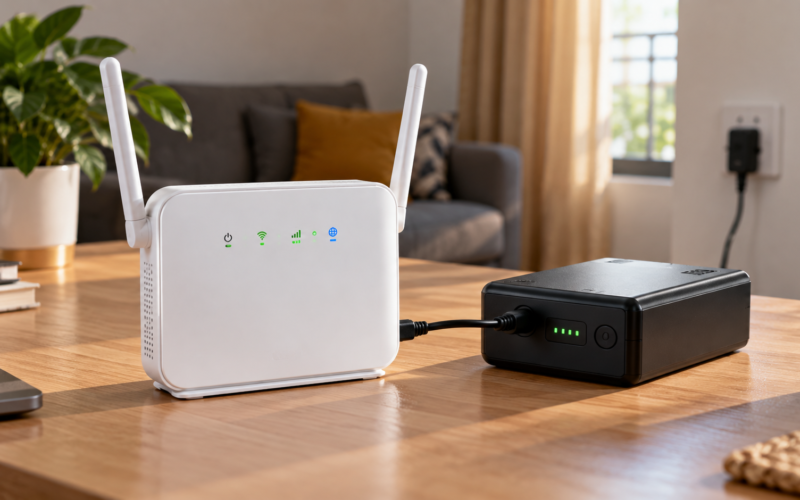
A practical Nigeria-focused guide to choosing backup power for Wi-Fi routers and laptops, checking 12V compatibility, estimating real runtime and avoiding misleading mAh claims.
Mini UPS for MTN Router: What to Check Before You Buy
A power cut does not have to end your internet session. For Nigerian remote workers, creators, small businesses and homes using 4G/5G or fibre broadband, a compact DC backup can keep a router online without running an inverter or generator. But buying a “10,000mAh mini UPS” based on the capacity printed on the box is not enough.
The first question is compatibility. Check the router’s adapter or device label for its required voltage, current, connector size and polarity. MTN’s official broadband support pages explain how its broadband router service is managed, but MTN sells multiple device types, so users should verify the exact electrical rating printed on their own router rather than assuming every MTN router uses the same input. MTN Nigeria broadband router guide For more practical African technology explainers, visit Wired.Africa.
Quick answer: what is the best backup for a 12V router?
For a fixed home router that must stay online automatically when grid power fails, a purpose-built mini router UPS is usually the cleaner setup. A power bank can work when paired with a properly regulated USB-to-DC or USB-C PD trigger/step-up solution that supplies the exact voltage, enough current, the correct barrel connector and the correct polarity. The power-bank route is more flexible, but compatibility and automatic switchover need closer attention.
How to know whether a mini UPS will work with your MTN router
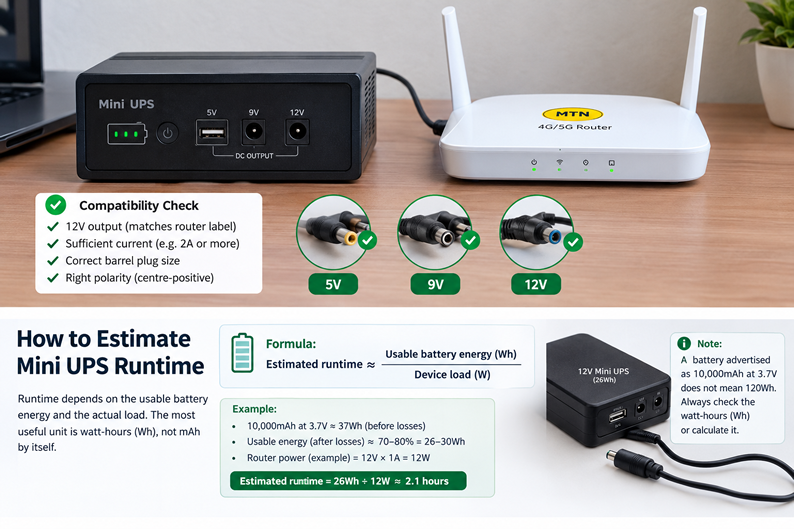
1. Voltage must match. If the router label says 12V DC, use a stable 12V output. Do not feed 12V into a device labelled for 9V.
2. Current capacity must be sufficient. A 12V/2A supply can safely serve a router that requires up to 12V/1A, provided the voltage, connector and polarity match; the router draws the current it needs.
3. Check the barrel plug. Similar-looking DC plugs can have different outer and inner diameters.
4. Confirm polarity. Most consumer routers are centre-positive, but never assume; check the symbol on the adapter or device.
5. Fibre users may need to back up two devices. If your connection uses a separate ONT, keeping only the Wi-Fi router powered may not preserve internet access.
How long does a mini UPS last?
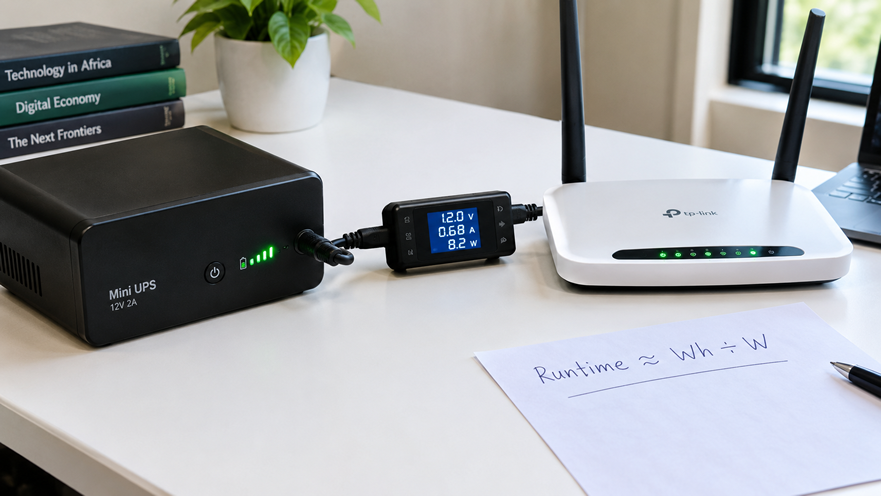
Runtime depends on usable battery energy and the actual load. The most useful unit is watt-hours (Wh), not mAh by itself. For example, a battery advertised as 10,000mAh at a nominal 3.7V stores about 37Wh before conversion losses. Calling that a “10,000mAh 12V UPS” does not mean it stores 120Wh.
A simple planning formula is: estimated runtime ≈ usable battery energy in Wh ÷ device load in watts. Real runtime will be lower because voltage conversion, battery management, heat, ageing and cutoff thresholds consume some of the stored energy.
Illustrative runtime table
| Nominal energy | Example load | Theoretical ceiling | Practical expectation |
| 37Wh | 6W | 6.2 hours | Lower than 6.2h after losses |
| 37Wh | 10W | 3.7 hours | Lower than 3.7h after losses |
| 74Wh | 10W | 7.4 hours | Lower than 7.4h after losses |
| 74Wh | 20W router + ONT | 3.7 hours | Lower than 3.7h after losses |
Important: these are energy calculations, not Wired.Africa lab measurements. Actual runtime must be timed with the exact router/ONT and backup device.
What real-world reports suggest
A Nigerian Jumia listing for a 10,400mAh multi-voltage mini DC UPS includes verified-buyer reports of roughly 4.5 hours on one fibre router and more than five hours on a two-device setup, but buyer reports are not controlled laboratory tests and should not be treated as guaranteed performance. See the current Jumia Nigeria listing
A separate Nigerian remote-work test published by 9jaBoizGist reported 4 hours 22 minutes from an 8,800mAh mini UPS and 5 hours 48 minutes from a 12,000mAh unit with a TP-Link Archer C6. Those figures are useful context, but different routers, batteries and test conditions will produce different results.Read the reported Nigerian backup-power tests
Router UPS vs power bank: which is better?
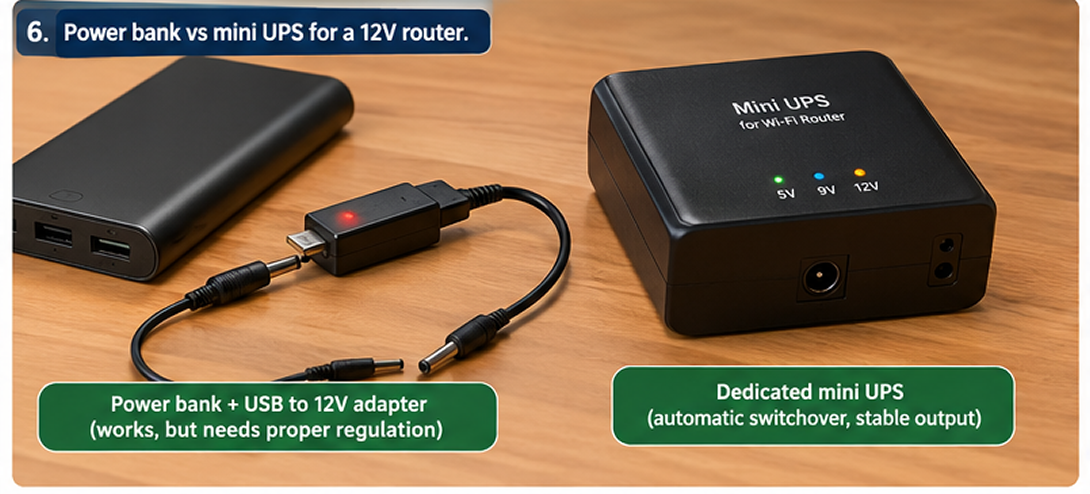
| Feature | Mini router UPS | Power bank + converter/PD cable |
| Automatic switchover | Usually designed for it | Depends on bank/cable; may be manual or reboot |
| 12V support | Common on multi-voltage models | Needs native 12V DC/PD trigger or step-up conversion |
| Ease of setup | Usually plug-and-play after compatibility check | More components to verify |
| Use with phones/laptops | Limited | Much more versatile if USB-C PD is supported |
| Conversion path | DC battery to regulated DC | May involve USB/PD negotiation or 5V-to-12V conversion |
| Best fit | Always-on router/ONT backup | Multi-purpose mobile power, if correctly configured |
Can a normal power bank power a 12V router?
Yes, but not directly in many cases. A conventional USB-A power bank normally provides 5V, while many fixed routers use a 9V or 12V DC barrel input. A regulated step-up cable can convert 5V to 9V/12V, while some USB-C PD power banks can negotiate higher voltages through a suitable trigger cable. In either case, verify the router’s required voltage, available current, plug dimensions and polarity.
A Nigerian how-to example demonstrates an MTN S20 router being powered through a selectable 5V-to-9V/12V converter cable and warns users to check the router rating first. See the practical router power-bank example
What about laptops?
For laptops, a router mini UPS is generally the wrong class of device. Most modern USB-C laptops need a USB-C Power Delivery power bank capable of the laptop’s required wattage, commonly 45W, 65W or more depending on the model. Older barrel-charging laptops may require a dedicated laptop power bank, DC adapter or portable power station. Check the charger’s output rating before buying.
If you need to keep both a laptop and router alive, a practical setup is often a dedicated mini UPS for the router/ONT plus a high-output USB-C PD power bank for the laptop. This avoids wasting a large inverter on a tiny networking load while preserving portable laptop charging.
A better Wired.Africa test: how we would measure actual runtime
For a genuinely useful Nigeria-focused comparison, every device should be tested under the same protocol. Wired.Africa can publish measured results rather than repeating manufacturer claims:
• Fully charge each backup device, then allow a short rest period before testing.
• Record battery capacity in Wh where available, not mAh alone.
• Record router model, adapter rating, measured operating watts and whether an ONT is included.
• Start a continuous video stream or sustained network traffic so the router is not effectively idle.
• Cut mains power and record whether the internet session survives the switchover without a reboot.
• Time the setup until the router/ONT shuts down, then repeat the test at least twice.
• Record recharge time, surface temperature, output stability and remaining battery indicator behaviour.
• Calculate cost per hour of measured backup using the current Nigerian purchase price.
Publishing this dataset would create original evidence that competing generic buying guides cannot easily reproduce and would strengthen the article’s experience and first-hand testing signals.
Buying checklist for Nigeria
• Exact output voltage: 5V, 9V or 12V as required
• Enough output current for the router and any ONT
• Correct DC connector and polarity
• Battery capacity stated in Wh, or enough information to calculate Wh
• Automatic switchover without router reboot
• Replaceable or reputable battery cells and protection circuitry
• Warranty and realistic local after-sales support
• Measured runtime from a comparable router rather than only an “up to” claim
• USB-C PD output of sufficient wattage if laptop charging is also required
FAQ
How long does a mini UPS last for a Wi-Fi router?
Common setups can run for several hours, but there is no universal figure. Runtime depends on usable watt-hours, router/ONT power draw, conversion losses, battery age and output cutoff. Divide usable Wh by measured watts for a planning estimate, then test the actual setup.
Can I use a power bank for a 12V router?
Yes, if the power bank and cable can deliver a stable 12V output with sufficient current and the correct connector and polarity. A normal 5V USB output should not be connected directly to a 12V router.
Is a router UPS better than a power bank?
For permanent, automatic router backup, a mini router UPS is usually simpler. A power bank is more versatile, especially for phones and USB-C laptops, but may require additional conversion hardware and may not switch seamlessly.
Will a mini UPS work with an MTN router?
It can, provided its output matches the exact MTN router model’s voltage, current requirement, connector and polarity. Check the label on the router or its original power adapter before connecting anything.
Do I need to power my fibre ONT too?
Usually yes if your fibre installation has a separate ONT. Powering the Wi-Fi router alone will not help if the ONT loses power.
Conclusion
The best mini UPS for an MTN router is not automatically the one with the largest mAh number. Compatibility comes first, followed by usable watt-hours, stable output and real runtime. For most fixed routers, a dedicated DC mini UPS offers the neatest always-on solution. A properly configured power bank can be an excellent alternative when flexibility matters, particularly if the same battery must also support phones or a USB-C laptop.
For more practical connectivity, broadband and device guides built for African users, follow Wired.Africa.

Tech Desk at WIRED.Africa reports on cybersecurity, platform security, AI systems, and technical analysis of digital infrastructure shaping Africa and global tech.